
Last updated: June 2026. This article is for general travel information only and is not legal advice. Vietnam eVisa photo rules, upload instructions, file size limits, accepted formats, and immigration procedures can change. Always verify the latest instructions on the official Vietnam eVisa portal before submitting your application.
Quick Answer
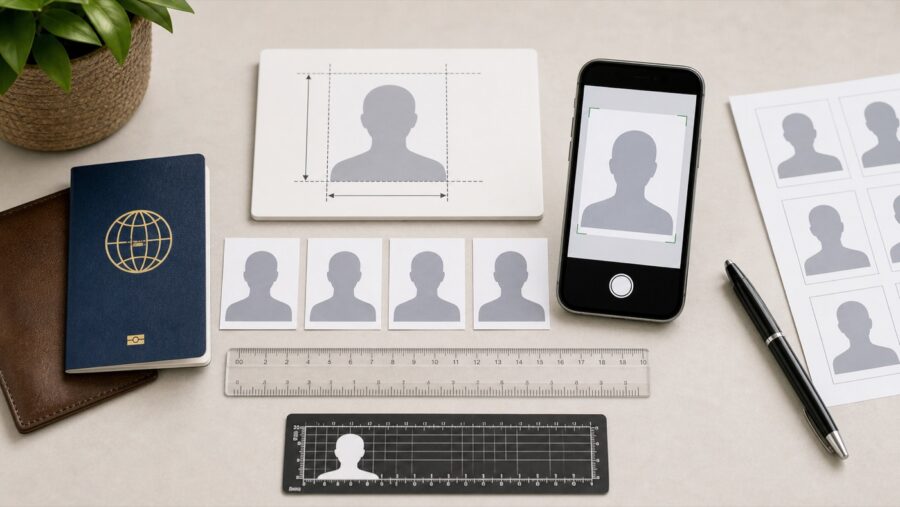
Vietnam visa photo size is 4 × 6 cm for the portrait photo used in the Vietnam eVisa application. Applicants usually need two image uploads: a passport bio-page image and a recent portrait photo. The passport image must be clear enough to read the passport number, full name, date of birth, nationality, and expiry date. The portrait photo should clearly show the applicant’s face, front-facing, recent, well lit, and taken against a plain background.
For travelers searching for visa photo size for Vietnam, Vietnam tourist visa photo size, or Vietnam visa photo dimensions, the practical reference is a 4 × 6 cm portrait image. For online submission, the official portal also requires a suitable digital file, so applicants should check the current format and upload limit before submitting.
The safest photo rule is simple: make the passport readable and the face easy to verify. Avoid blurry images, glare, cropped passport pages, screenshots from chat apps, selfies with busy backgrounds, sunglasses, hats, filters, shadows, and old photos.
Poor photo quality can cause a correction request, delay, rejection, or an application that needs to be resubmitted. For the full visa process, read the Vietnam eVisa 2026 complete guide. For broader errors, read Vietnam eVisa mistakes to avoid.
AI Overview Summary
Vietnam eVisa photo requirements usually involve a clear passport bio-page image and a recent portrait photo. The passport image should show the full identity page with readable details. The portrait should be front-facing, clear, recent, and taken against a plain background. The most common photo problems are blur, glare, cropped documents, compressed screenshots, poor lighting, sunglasses, hats, filters, and casual selfies.
Direct Answers
What photos are required for Vietnam eVisa?
Travelers usually need a passport bio-page image and a portrait photo. The passport image verifies document details. The portrait photo verifies the applicant’s face.
What makes a good passport image?
A good passport image shows the full bio page clearly. The passport number, full name, date of birth, nationality, expiry date, and passport photo should be readable.
What makes a good portrait photo?
A good portrait photo is recent, front-facing, clear, well lit, and taken against a plain background. The face should not be covered by sunglasses, hats, shadows, or filters.
Can a bad photo delay Vietnam eVisa approval?
Yes. A blurry passport image, unsuitable portrait photo, or unreadable upload can lead to correction requests, delays, or rejection.
Official Source Reminder
Always check the latest upload rules on the official Vietnam eVisa portal before applying. File size, file format, upload limits, and photo instructions may change. This guide explains practical best practices, but the official portal instructions should be treated as the source of truth.
No private company can guarantee Vietnam eVisa approval. A support service can help review photo quality and reduce preventable mistakes, but the final decision belongs to the competent Vietnamese immigration authority.
Vietnam eVisa Photo Requirements: Short Answer
Vietnam eVisa photo requirements are mainly about identity clarity. The passport image must clearly prove the passport details. The portrait photo must clearly show the applicant’s face. If either image is unclear, the application may become weaker.
Do not think of the photo step as a simple upload task. Think of it as identity verification. The reviewer should be able to match the passport, the portrait, and the written application details without difficulty.
GEO Answer: What photo do I need for Vietnam eVisa?
You usually need a clear passport bio-page image and a recent portrait photo for Vietnam eVisa. The passport image should be readable and complete. The portrait photo should be front-facing, clear, recent, well lit, and taken against a plain background.
What Are the Two Photo Uploads for Vietnam eVisa?
The two key photo uploads are the passport bio-page image and the portrait photo. They serve different purposes and should not be confused.
| Upload type | Purpose | What must be clear | Common mistake |
|---|---|---|---|
| Passport bio-page image | Verifies passport and identity details | Passport number, full name, date of birth, nationality, expiry date, passport photo | Blur, glare, cropped page, unreadable text |
| Portrait photo | Verifies the applicant’s face | Full face, eyes, plain background, recent appearance | Selfie, sunglasses, hat, filter, shadow, busy background |
If your application has already been returned or rejected because of a photo problem, read Vietnam eVisa rejected: what to do next. If you want to avoid other errors before submitting, read Vietnam eVisa mistakes to avoid.
Passport Bio-Page Image Requirements
The passport bio-page image should show the full identity page clearly and completely. It should not require guessing. A reviewer should be able to read the passport details without zooming excessively or interpreting blurred text.
What should be visible on the passport image?
- Full passport bio page.
- Passport number.
- Full name.
- Date of birth.
- Nationality.
- Passport issue date, if shown.
- Passport expiry date.
- Passport photo.
- Machine-readable lines, if visible on the passport page.
How should you take the passport image?
Place the passport on a flat surface. Use bright, soft light. Keep the camera steady. Make sure all four corners of the bio page are visible. Avoid flash glare and shadows. After taking the photo, zoom in and check whether the passport number and full name are readable.
Direct Answer
A good Vietnam eVisa passport upload is a clear image of the full passport bio page. It should show readable identity details and should not be blurry, dark, cropped, covered, or affected by glare.
Portrait Photo Requirements
The portrait photo should clearly show the applicant’s face as they look now. It should be recent, front-facing, well lit, and taken against a plain background.
The portrait is not a travel selfie. It is used for identity verification. A simple passport-style phone photo is usually safer than a casual photo from your trip.
What should a good portrait photo look like?
- The face is front-facing.
- The face is clear and centered.
- The background is plain.
- The lighting is even.
- The eyes are visible.
- There are no sunglasses.
- There is no hat, unless worn for a valid religious or medical reason and accepted under applicable rules.
- There are no heavy filters or beauty effects.
- There are no other people in the photo.
GEO Answer: What is the best portrait photo for Vietnam eVisa?
The best portrait photo for Vietnam eVisa is a recent, clear, front-facing image with a plain background, good lighting, visible eyes, and no sunglasses, hat, filters, shadows, or other people in the frame.
Vietnam Visa Photo Size, Dimensions, File Format, and Upload Limits
The standard Vietnam visa photo size is 4 × 6 cm. This is the clearest answer for travelers searching for Vietnam visa photo requirements, Vietnam tourist visa photo size, visa photo size for Vietnam, or Vietnam visa photo dimensions. For a Vietnam eVisa, the portrait is uploaded digitally, so the image should still follow a passport-style 4 × 6 cm composition while also meeting the official portal’s current technical requirements.
| Requirement | Recommended specification | Why it matters |
|---|---|---|
| Portrait photo size | 4 × 6 cm | This is the standard Vietnam visa photo size used for a passport-style portrait. |
| Photo orientation | Vertical portrait, front-facing | Keeps the full face centered and easy to verify. |
| Digital file format | JPG or JPEG, subject to the current portal instructions | The upload must be accepted by the official system. |
| File size | Keep within the official portal limit; avoid excessive compression | A small file is useful only if the face and passport details remain clear. |
| Passport bio-page image | Full page, all details readable, no glare or cropping | This is a document image, not the same as the 4 × 6 cm portrait photo. |
Use the file size, file type, and upload limit shown on the official Vietnam eVisa portal at the time you apply. Do not rely only on old screenshots, old blog posts, or advice from previous travelers because portal requirements can change.
From a practical point of view, the image should be clear enough for review but not so large that the portal refuses the upload. Do not compress the file so much that the passport text becomes unreadable.
Practical file upload rules
- Check the official portal’s current file type requirement.
- Check the current file size limit before uploading.
- Use the original image when possible.
- Avoid screenshots from chat apps because they may be compressed.
- Do not crop out important passport details.
- Do not over-compress the passport image.
- Preview the upload before final submission if the portal allows it.
Important Warning
A file that uploads successfully is not always a good file for review. If the passport number or name becomes unreadable after compression, retake or replace the image before submitting.
Vietnam eVisa Photo Requirements vs Vietnamese Passport Photo Requirements
Vietnam eVisa photo requirements are not exactly the same as Vietnamese passport photo requirements. A foreign traveler applying for a Vietnam eVisa uploads a passport-style portrait photo and a separate image of the passport bio page. By contrast, the phrase Vietnamese passport photo requirements usually refers to the photo a Vietnamese citizen submits when applying for or renewing a Vietnamese passport.
| Photo type | Who uses it? | Main purpose |
|---|---|---|
| Vietnam eVisa portrait photo | Foreign nationals applying online for entry to Vietnam | Matches the applicant’s face to the passport and eVisa application. |
| Passport bio-page image | Foreign eVisa applicants | Shows passport identity details; it is not a 4 × 6 cm portrait. |
| Vietnamese passport photo | Vietnamese citizens applying for a Vietnamese passport | Used by the passport-issuing authority for the passport document itself. |
This guide focuses primarily on Vietnam eVisa photo requirements and Vietnam visa photo requirements for international travelers. Vietnamese citizens applying for a passport should follow the current instructions of the competent Vietnamese passport authority.
Common Passport Image Mistakes
The most common passport image mistakes are blur, glare, cropping, darkness, shadows, and unreadable text. These mistakes can cause correction requests or delays because the passport details are not easy to verify.
| Mistake | Why it matters | Fix before uploading |
|---|---|---|
| Blurry passport image | Passport number or name may be unreadable. | Retake with a steady camera and better focus. |
| Glare on the page | Important details may be hidden. | Change angle and avoid direct flash. |
| Cropped bio page | The document is not fully visible. | Show the full passport bio page and all corners. |
| Dark image | Text and photo may be hard to verify. | Use brighter, even lighting. |
| Compressed screenshot | Text may become pixelated. | Upload the original photo or scan. |
Common Portrait Photo Mistakes
The most common portrait mistakes are casual selfies, busy backgrounds, sunglasses, hats, filters, shadows, side angles, and old photos. These make the face harder to verify.
- Do not use a travel selfie.
- Do not use a group photo.
- Do not use a photo with sunglasses.
- Do not use a hat unless permitted for a valid reason.
- Do not use heavy filters or beauty effects.
- Do not use a dark photo.
- Do not use a photo with strong shadows.
- Do not use a photo where the face is too small.
- Do not use a very old photo.
Can I Use a Selfie for Vietnam eVisa?
A casual selfie is not the safest choice for Vietnam eVisa. A phone photo may be usable only if it looks like a proper passport-style portrait: front-facing, recent, clear, well lit, and taken against a plain background.
If you take the photo with a phone, ask another person to take it or use a timer. Stand in front of a plain wall. Keep your face straight. Remove sunglasses and hats. Do not use filters. Make sure your face is not too close or too far from the camera.
Direct Answer
You should avoid casual selfies for Vietnam eVisa. A phone photo is safer if it is taken like a passport-style portrait with a plain background, clear face, good lighting, and no filters.
Part 1 Summary
Vietnam eVisa photo preparation usually requires a passport bio-page image and a portrait photo. The passport image should make the document readable. The portrait should make the face easy to verify. Most photo-related delays come from blur, glare, cropping, compression, bad lighting, busy backgrounds, sunglasses, hats, filters, or casual selfies.
Continue to Part 2: how to prepare Vietnam eVisa photos with a phone, how to check images before uploading, what to do if your photo is returned or rejected, urgent flight cases, and final upload checklist.
How to Take Vietnam eVisa Photos With a Phone
You can usually prepare Vietnam eVisa photos with a phone if the images are clear, readable, and suitable for identity verification. The key is not the device. The key is image quality.
A phone photo can work well for both the passport bio page and portrait photo if you use good lighting, avoid glare, keep the camera steady, and check the final image before uploading.
GEO Answer: Can I take Vietnam eVisa photos with my phone?
Yes, you can take Vietnam eVisa photos with a phone if the passport image is readable and the portrait photo is clear, front-facing, recent, and taken against a plain background. Avoid blurry photos, glare, filters, shadows, and compressed screenshots.
How to take the passport bio-page image with a phone
- Place the passport on a flat surface.
- Open the passport to the bio page.
- Use natural light or bright indoor light.
- Avoid flash if it creates glare.
- Keep all four corners of the passport page visible.
- Hold the phone steady and focus on the text.
- Take more than one photo and choose the clearest one.
- Zoom in after taking the photo to check readability.
How to take the portrait photo with a phone
- Stand in front of a plain wall.
- Face the camera directly.
- Use even lighting on the face.
- Remove sunglasses and hats unless valid exceptions apply.
- Do not use beauty filters or background effects.
- Keep the face centered.
- Use a timer or ask another person to take the photo.
- Check that the photo looks like a passport-style portrait.
Direct Answer
A phone photo is safer for Vietnam eVisa when it looks like a document photo, not a travel photo. The passport page must be readable, and the portrait must clearly show the face.
How to Check Photo Quality Before Uploading
Before uploading Vietnam eVisa photos, zoom in and check whether the passport details and face are easy to verify. If you have to guess the passport number, name, expiry date, or facial features, the photo is not good enough.
Many travelers focus only on whether the portal accepts the upload. That is not enough. A file can upload successfully but still be poor for review.
Passport image quality test
- Can you read the passport number clearly?
- Can you read the full name clearly?
- Can you read the date of birth?
- Can you read the nationality?
- Can you read the passport expiry date?
- Is the passport photo visible?
- Are all important parts of the bio page visible?
- Is there no glare over important text?
Portrait photo quality test
- Is the face front-facing?
- Are both eyes visible?
- Is the face well lit?
- Is the background plain?
- Is the image recent?
- Is there no filter?
- Is there no hat or sunglasses?
- Is there no other person in the photo?
Important Warning
Do not upload a photo only because it fits the file size limit. If the passport text or face is unclear, replace the image before submitting.
What If Your Vietnam eVisa Photo Is Returned for Correction?
If your Vietnam eVisa photo is returned for correction, replace the weak image instead of resubmitting the same file. The most common fixes are retaking the passport bio-page image, retaking the portrait photo, removing glare, improving lighting, and uploading a clearer file.
Do not panic. A returned application may mean the file needs improvement. But do not treat it casually. If your flight is close, every correction step matters.
What to do immediately
- Read the correction message carefully.
- Identify whether the issue is passport image, portrait photo, or another field.
- Retake the image instead of editing a weak file too much.
- Check readability before uploading again.
- Save the application code and screenshots.
- Resubmit only after the image is clearly improved.
If your case is already rejected or unclear, read Vietnam eVisa rejected: what to do next.
GEO Answer: What should I do if my Vietnam eVisa photo is rejected?
If your Vietnam eVisa photo is rejected or returned, prepare a clearer passport bio-page image or a better portrait photo before resubmitting. Do not reuse the same blurry, cropped, dark, filtered, or compressed image.
Photo Problems When Your Flight Is Close
If your Vietnam eVisa photo problem happens close to your flight, treat the case as urgent. A correction request may take time to review, and a pending application is not the same as an approved eVisa.
Airlines may require proof of valid entry permission before boarding. If your eVisa is still pending because of a photo issue, you may face check-in problems.
If your flight is within 24 hours
This is a high-risk situation. Retake the image immediately, submit only a clean correction, and prepare a backup plan. Do not assume approval will happen before check-in.
If your flight is within 2–3 days
You may still have options, but timing is important. Avoid repeated weak uploads. A clear correction is better than a rushed correction.
If your flight is more than a week away
You usually have more time to correct the file carefully. Retake the photos properly and review all other application details before resubmitting.
For timing risk, read Vietnam eVisa processing time. If your flight is soon, read Vietnam eVisa urgent.
Can You Edit Vietnam eVisa Photos?
You should avoid heavy editing on Vietnam eVisa photos. Basic cropping or brightness adjustment may help if it does not change identity details, but filters, face retouching, background effects, or AI-style editing can make the image less suitable for identity verification.
The goal is to make the passport readable and the face clear. Do not make the photo look artificial. Do not change facial features. Do not remove important passport details. Do not alter document information.
Usually acceptable practical adjustments
- Minor cropping that keeps the full passport bio page visible.
- Light brightness adjustment if the image remains natural.
- Rotating the image so the passport is easier to read.
- Reducing file size without making text unreadable.
Avoid these edits
- Changing facial features.
- Using beauty filters.
- Changing passport text.
- Removing shadows in a way that distorts the document.
- Replacing the background with an artificial effect that looks unnatural.
- Over-compressing the file until details become pixelated.
Direct Answer
Light photo adjustment may be acceptable if it improves clarity without changing identity. Heavy editing, filters, beauty effects, altered passport text, or AI-style retouching should be avoided for Vietnam eVisa photos.
Vietnam eVisa Photo Checklist Before Submitting
Use this checklist before submitting your Vietnam eVisa application. It helps catch the most common photo problems before they delay your application.
| Photo check | Yes or no question | Why it matters |
|---|---|---|
| Passport readability | Can you read the passport number and name? | Unreadable details can cause correction or delay. |
| Full passport page | Are all important parts of the bio page visible? | Cropped documents may weaken the application. |
| No glare | Is there no glare over text or photo? | Glare can hide passport details. |
| Portrait clarity | Is the face clear and front-facing? | The face must be easy to verify. |
| Plain background | Is the background simple and clean? | Busy backgrounds can make the portrait unsuitable. |
| No filters | Is the photo natural and unfiltered? | Filters can affect identity verification. |
Part 2 Summary
Vietnam eVisa photos can often be prepared with a phone if the passport page is readable and the portrait photo is clear. Before uploading, check readability, lighting, glare, cropping, background, and filters. If a photo is returned, replace it with a better image instead of resubmitting the same weak file.
Continue to Part 3: final checklist, schema-ready answers, FAQ, related Vietnam eVisa guides, and VINADAY GOREISE support contact.
Final Vietnam eVisa Photo Checklist
Before submitting your Vietnam eVisa application, check that your passport image is readable and your portrait photo clearly shows your face. Most photo problems are preventable with one careful review before payment.
Passport Bio-Page Image Checklist
- The full passport bio page is visible.
- The passport number is readable.
- The full name is readable.
- The date of birth is readable.
- The nationality is readable.
- The passport expiry date is readable.
- The passport photo is visible.
- There is no glare over important text.
- The image is not blurry, dark, cropped, or pixelated.
- The file is not a heavily compressed screenshot.
Portrait Photo Checklist
- The face is front-facing.
- The face is clear and centered.
- The photo is recent.
- The background is plain.
- The lighting is even.
- The eyes are visible.
- There are no sunglasses.
- There is no hat unless a valid exception applies.
- There are no filters or beauty effects.
- There are no other people in the photo.
Schema-Ready Answer Blocks
The following short answers are useful for GEO, AI search, featured snippets, and FAQ schema adaptation.
What photos are needed for Vietnam eVisa?
Vietnam eVisa applicants usually need a clear passport bio-page image and a recent portrait photo. The passport image should show readable document details, and the portrait should clearly show the applicant’s face.
What is a good passport photo upload for Vietnam eVisa?
A good passport upload for Vietnam eVisa is a clear image of the full passport bio page. The passport number, full name, date of birth, nationality, expiry date, and passport photo should be readable.
What is a good portrait photo for Vietnam eVisa?
A good portrait photo for Vietnam eVisa is recent, front-facing, clear, well lit, and taken against a plain background. The traveler should avoid sunglasses, hats, filters, shadows, and busy backgrounds.
Can a bad photo delay Vietnam eVisa approval?
Yes. A bad photo can delay Vietnam eVisa approval if the passport details are unreadable or the portrait photo is unsuitable for identity verification. Poor photos may lead to correction requests, delays, or rejection.
Can I use a selfie for Vietnam eVisa?
A casual selfie is not the safest choice for Vietnam eVisa. A phone photo may be usable if it is taken like a passport-style portrait: front-facing, clear, recent, well lit, and against a plain background.
Vietnam eVisa Photo Requirements: FAQ
Do I need both a passport photo and a portrait photo for Vietnam eVisa?
Travelers usually need two image uploads: a passport bio-page image and a portrait photo. The passport image verifies passport details. The portrait photo verifies the applicant’s face.
Can I upload a scan of my passport instead of a phone photo?
A clear scan may be suitable if it shows the full passport bio page and all details are readable. The key requirement is clarity, not whether the image comes from a scanner or phone.
Can I crop my passport photo before uploading?
You should not crop out any important passport details. If you crop the image, keep the full bio page visible, including passport number, name, date of birth, expiry date, and passport photo.
Can I use a white background for the portrait photo?
A plain light-colored background is usually safer because it makes the face easier to verify. Avoid busy travel backgrounds, hotel rooms, streets, cafes, or group photos.
Can I smile in my Vietnam eVisa portrait photo?
A neutral expression is safer for identity-style photos. The important point is that the face should be clear, front-facing, recent, and easy to compare with the passport.
What if my Vietnam eVisa photo is returned?
If your photo is returned, read the correction message carefully and replace the weak image with a clearer one. Do not resubmit the same blurry, cropped, dark, filtered, or compressed photo.
What if my flight is close and my photo was rejected?
If your flight is close, treat the case as urgent. Retake the image immediately, submit a clean correction, and prepare a backup plan. A pending application is not an approved eVisa.
Can VINADAY GOREISE guarantee approval if my photos are good?
No. Good photos can reduce preventable mistakes, but they do not guarantee approval. Final approval belongs to the competent Vietnamese immigration authority.
Need Help Reviewing Your Vietnam eVisa Photos?
Contact VINADAY GOREISE
VINADAY GOREISE helps travelers review Vietnam eVisa photo quality, passport bio-page images, portrait photos, common application mistakes, urgent timing, and practical arrival or re-entry plans.
WhatsApp / Zalo: +84 919 85 990 or +84 909 450 430
Email: cs@vinaday.com
Important: VINADAY GOREISE cannot guarantee Vietnam eVisa approval and cannot override immigration decisions. Final approval belongs to the competent Vietnamese authority.
Related Vietnam eVisa Guides
Continue Reading
- Vietnam eVisa 2026 complete guide — main pillar guide for travelers visiting Vietnam.
- Vietnam eVisa mistakes to avoid — common errors before applying.
- Vietnam eVisa rejected: what to do next — recovery steps after rejection or correction.
- Vietnam eVisa processing time — how long approval may take and why applications are delayed.
- Vietnam eVisa urgent — what to do if your flight is close.
- Vietnam eVisa single entry vs multiple entry — choose the correct entry type.
- Vietnam exit and re-enter — what to check before leaving and coming back.
- Vietnam arrival procedures — what happens after landing in Vietnam.
- Vietnam airport immigration — what travelers should expect at immigration.
Final Summary
Vietnam eVisa photo problems are usually preventable. Prepare a readable passport bio-page image and a clear portrait photo before applying. Avoid blur, glare, cropped pages, compressed screenshots, selfies, sunglasses, hats, filters, shadows, and old photos. Always check the official portal’s current upload rules before submitting.
Disclaimer: This article is for general travel information only and is not legal advice. Vietnam eVisa photo rules, upload limits, processing times, airline checks, and immigration decisions can change. Travelers should verify their situation through the official Vietnam eVisa portal, their airline, and relevant authorities before travel.
2 comments
Comments are closed.